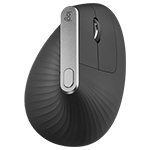
Setup Guidance | Troubleshooting | Video Support
SETUP GUIDANCE
HARDWARE SETUP GUIDANCE
SOFTWARE SETUP GUIDANCE
- Logitech Flow
- Setup and enable Logitech Flow for use with a mouse
- Logitech Flow status icons
- Swap left and right buttons on Mac or Windows device using Logitech Options
- Move from one screen to another with Logitech Flow
- Flow network setup check for Mac
- Add a device to an Easy-Switch channel
- Backup device settings to the cloud in Logitech Options
- Logitech Options permission prompts on macOS Monterey, macOS Big Sur, macOS Catalina, and macOS Mojave
- How to add a new Logitech device with Logitech Options
- Change the scrolling direction of mouse on iPadOS
TROUBLESHOOTING
CONNECTIVITY TROUBLESHOOTING
- If you're having trouble connecting, please try this troubleshooting guide.
- Device Detection Troubleshooting
- MX Vertical using Unifying receiver loses connection after switching devices
- Warning message when Logitech device is connected to iPadOS
- Bluetooth mouse or keyboard not recognized after reboot on MacOS (FileVault)
- Resolve Bluetooth Wireless issues on Mac OS X
- Resolve Bluetooth Wireless issues on Windows 10
- Check for Bluetooth Low Energy support
- Bluetooth troubleshooting for Logitech Bluetooth Mice, Keyboards and Presentation remotes
- Bluetooth device doesn’t work after computer wakes from sleep mode
HARDWARE TROUBLESHOOTING
SOFTWARE TROUBLESHOOTING
- How to enable Accessibility and Input monitoring permissions for Logitech Options
- Device does not appear in Logitech Options
- Unable to open files transferred using Logitech Flow on another computer
- Logitech Flow doesn’t work on the login screen or when computer goes into sleep mode
- Logitech Options and Logitech Control Center macOS message: Legacy System Extension
- System Extension Blocked message when installing Logitech Options or LCC
VIDEO SUPPORT
Frequently Asked Questions
There are no Downloads for this Product
There are no Downloads for this Version.
Compatible Product
