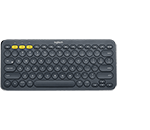
Setup Guidance | Troubleshooting
SETUP GUIDANCE
HARDWARE SETUP GUIDANCE
SOFTWARE SETUP GUIDANCE
TROUBLESHOOTING
CONNECTIVITY TROUBLESHOOTING
- If you're having trouble connecting, please try this troubleshooting guide.
- Bluetooth mouse or keyboard not recognized after reboot on MacOS (FileVault)
- Warning message when Logitech device is connected to iPadOS
- Logitech Bluetooth keyboard unable to pair with Android 7.x device
- Bluetooth device doesn’t work after computer wakes from sleep mode
- Unifying devices not detected after macOS 10.12.1 Sierra update
HARDWARE TROUBLESHOOTING
- K380 keyboard does not work or loses connection frequently
- Bluetooth device doesn’t work after computer wakes from sleep mode
SOFTWARE TROUBLESHOOTING
PERGUNTAS FREQUENTES
Não há Downloads para este produto
There are no Downloads for this Version.
Compatible Product
