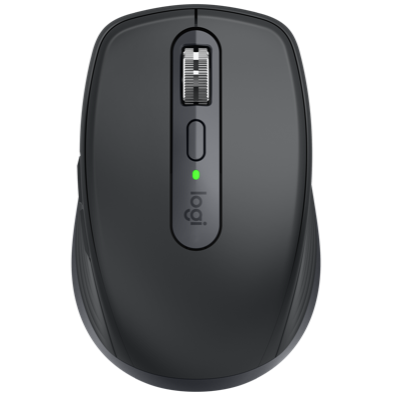
Setup Guidance | Troubleshooting | Video Support
MX Anywhere 3 comes in a Standard (UNIFYING) and For Business (BOLT) version, indicated by the logos in the image below

For dedicated support for the For Business (BOLT) MX Anywhere 3, please click here
For dedicated support for the Standard (UNIFYING) MX Anywhere 3, please continue below or by using the menu options to the left
SETUP GUIDANCE
Go to the interactive setup guide for quick interactive setup instructions.
HARDWARE SETUP GUIDANCE
SOFTWARE SETUP GUIDANCE
- Logitech Flow
- Setup and enable Logitech Flow for use with a mouse
- Flow network setup check for Mac
- Move from one screen to another with Logitech Flow
- Swap left and right buttons on Mac or Windows device using Logitech Options
- Add a device to an Easy-Switch channel
- Backup device settings to the cloud in Logitech Options
- Logitech Options permission prompts on macOS Catalina and macOS Mojave
- How to add a new Logitech device with Logitech Options
TROUBLESHOOTING
CONNECTIVITY TROUBLESHOOTING
- If you're having trouble connecting, please try this troubleshooting guide.
- Bluetooth mouse or keyboard not recognized after reboot on MacOS (FileVault)
- How to unpair a device from a computer
HARDWARE TROUBLESHOOTING
SOFTWARE TROUBLESHOOTING
VIDEO SUPPORT
Vanliga frågor
There are no Downloads for this Product
There are no Downloads for this Version.
Compatible Product
