Setup Guidance | Troubleshooting
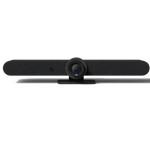
Logitech Rally Bar is the premier video bar for midsize meeting rooms. Discover remarkably simple, all-in-one video conferencing with brilliant optics & audio.
SETUP GUIDANCE
HARDWARE SETUP GUIDANCE
- What do the buttons on the remote control do?
- How do I increase the microphone pickup range of Rally Bar?
- How do I remotely manage Rally Bar?
- How do I access Rally Bar settings when used in USB mode?
- How do I access Rally Bar settings when using Logitech Tap?
- How do I access the Rally Bar settings when using an IP based controller like an iPad?
- How long does it take for Sync App to detect Rally Bar when in USB mode?
- Pair Rally Bar / Rally Bar Mini with Tap IP
SOFTWARE SETUP GUIDANCE
- Introducing RightSight 2 and Speaker View
- Enabling RightSight 2 on Google Meet Devices
- Local Network Access (Beta)
- Custom Wallpaper Support for BYOD Mode
- Recommended Conditions for RightSight with Rally Bar
- Which languages are currently available in the Logitech software?
- Adding Rally Bar to Logitech Sync Portal
- Firewall Setup Information for CollabOS Devices
- Can I use the Rally Bar remote control with Zoom Rooms in appliance mode?
- Can I change the default home position for the camera?
- Can I sideload apps on Rally Bar, Rally Bar Mini or RoomMate?
- How do I access settings for my conference room system?
- How do I switch the service provider for my conference room system?
- How do I set up a Zoom Room with Rally Bar?
TROUBLESHOOTING
SOFTWARE TROUBLESHOOTING
- CollabOS Release Notes
- CollabOS Platform Support
- CollabOS NTP Server Support
- CollabOS CA Certificate Support
- CollabOS Regional Settings Options
- CollabOS 802.1X Wireless Network Support
- How do I update the software when Rally Bar is run in USB mode?
- How do I update the software when Rally Bar is run in appliance mode?
- How do I send a bug report to Logitech?
Vanlige spørsmål
There are no Downloads for this Product
There are no Downloads for this Version.
Compatible Product
